
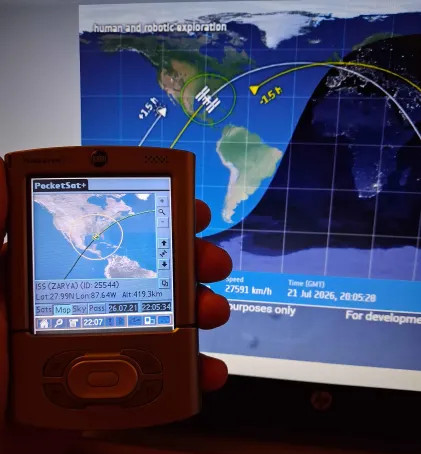
Web tool :
This web tool updates your PocketSat+ app with the latest satellite orbits. It converts live space data from Celestrak website directly in your browser so you can load it onto your Palm.
How to use it ?
- Pick a satellite list from the menu (100 Brightest, weather, communications, navigation satellites)
- Click Generate PDB file.
- Transfer the downloaded file to your Palm Pilot via HotSync or an SD card
Links
This project is a JavaScript port of a command-line script available below.
Command line tool :
Once you've downloaded a TLE data file, you need to get it into your Palm Pilot. One way to do this is to create a memo containing the data (remember that it must start with a title line), HotSync it to your Pilot, and use PocketSat's "Import from Memo" feature. Unfortunately, memos are limited to 4K of text, which is only enough for 15 satellites or so. For larger amounts of data, you will want to create a PocketSat Input Database and HotSync it to your Pilot just as you would any .PDB or .PRC file.
Here are some tools to convert TLE files into input databases:
- tle2pdb.c - This is a simple C program which should compile on pretty much any system. [C Source]
- tle2pdb.pl - This is a perl program to do the same thing.
Command line tool
| Version | File | Size |
|---|---|---|
| cli | tle2pdb.zip | 20K |










comments